Millisecond Reaction Time Explained: What Your Result in MS Really Means
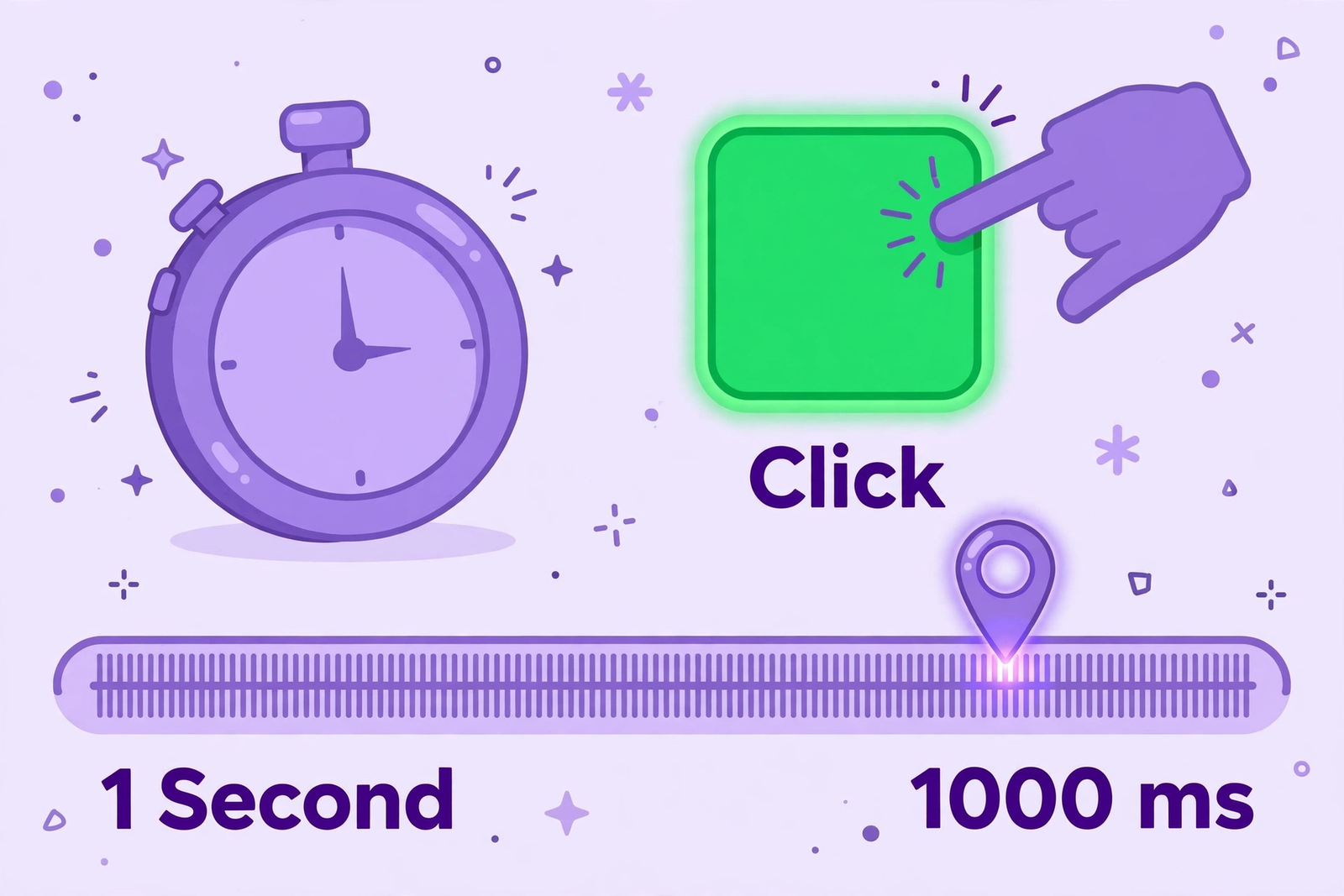
Table of Contents
- What a Millisecond Actually Is
- One Thousandth of a Second
- A Fine Ruler for Short Intervals
- From Signal to Click in Milliseconds
- Why Seconds Alone Are Too Coarse
- Reading Small Gaps Without Overreading Them
- A Few Milliseconds on Screen
- Tens of Milliseconds and Visible Change
- The Trap of Overreading Small Gaps
- Converting Gaps Back Into Seconds
- What Shapes the Milliseconds You See
- How Your Device Adds Its Own Delay
- How Attention and Rest Shift a Result
- How a Screen Captures a Signal
- Using Milliseconds as a Fair Personal Reference
- Keep the Setup the Same
- Read the Average Before the Single Try
- Watch Patterns Across Several Rounds
- Frequently Asked Questions
- How do I convert a millisecond reaction time result into seconds?
- Why does a gap of a few milliseconds look large on screen?
- Should I worry about a small millisecond change between two rounds?
- How does my device affect the milliseconds shown in a test result?
- Why is the average in milliseconds more useful than one single try?
Many readers see a millisecond result and cannot picture how short that interval really is. That confusion grows when a gap of only a few milliseconds changes an average or a best result. You may therefore wonder what ms means in reaction time and whether such a small gap should matter at all.
This article explains the millisecond as a unit, how to read small gaps, and why context matters more. You will learn how stimulus, visual perception, and motor response fit into one measured interval. By the end, you can read any ms reaction time result with a clearer sense of scale.
What a Millisecond Actually Is
One Thousandth of a Second
A millisecond is one thousandth of a second, which makes it a very small unit of time. One thousand milliseconds make one second, so the unit divides a familiar second into tiny parts. One hundred milliseconds equal one tenth of a second, and five hundred milliseconds equal half a second.
Those conversions help you translate a test result into a length of time you can imagine. A result that looks large in milliseconds often sounds much smaller when expressed as a fraction of a second. That change of scale is the first step toward reading millisecond results without confusion or alarm.
Keep those three conversions in mind whenever a result first appears on screen. One second, one tenth of a second, and half a second give you three useful anchors.
A Fine Ruler for Short Intervals
Think of milliseconds as a fine ruler for short intervals, marked for measuring very brief events accurately. A ruler marked only in whole metres would be useless for measuring a small object precisely. In the same way, seconds alone are too coarse for measuring a quick response to a signal.
A millisecond reaction time gives measurement precision because responses to a visual signal happen extremely quickly. Measuring in whole seconds would hide almost every difference between one try and another try. Most tries would simply round to zero seconds, which would make fair comparison almost impossible.
That ruler image also explains why precise units matter more as responses get faster. Faster responses leave less room for coarse units, so finer marks become more valuable.
From Signal to Click in Milliseconds
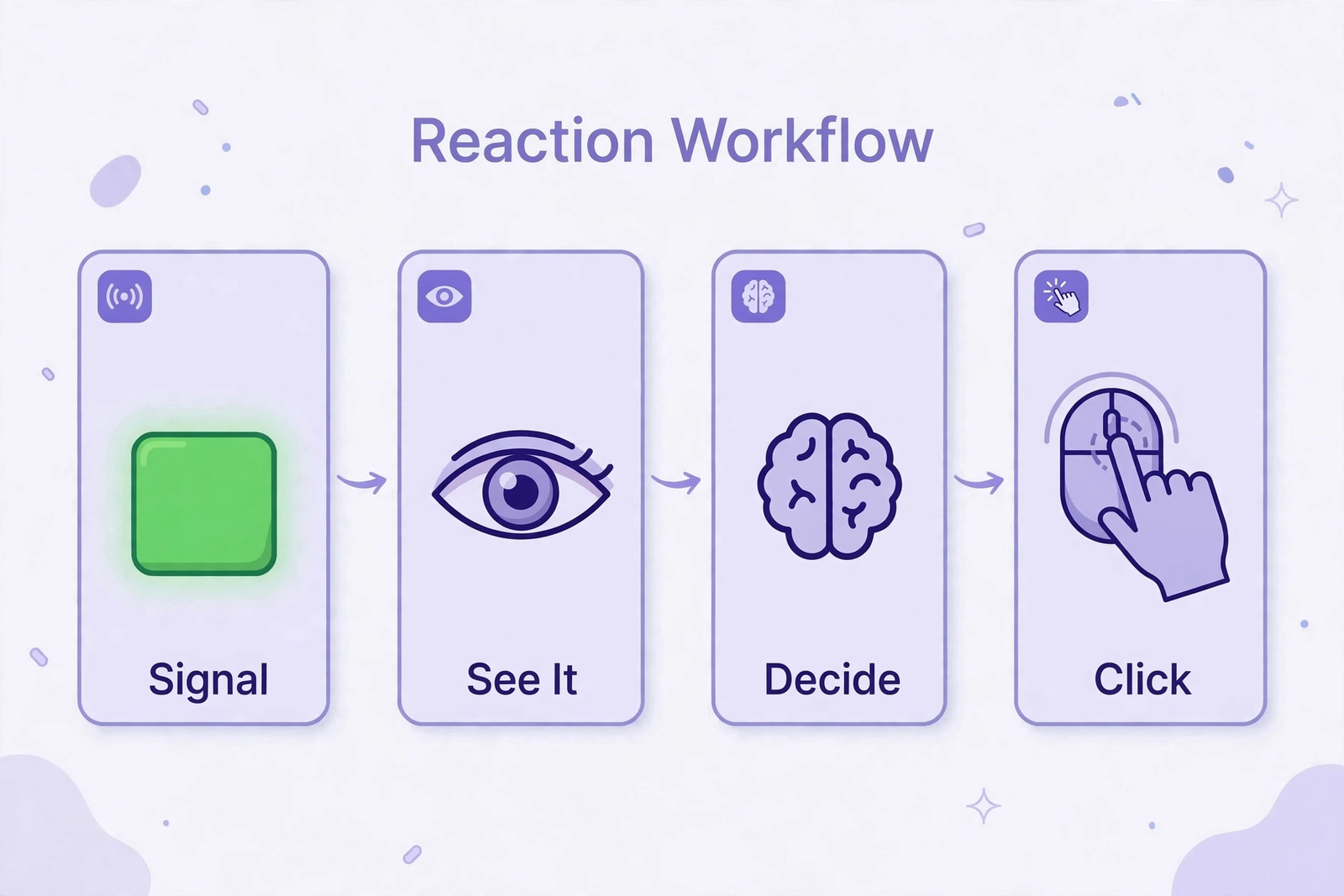
Every measured interval begins with a stimulus, such as a box changing colour on a screen. Visual perception comes first, because you must notice the colour change before you can act. Cognitive processing follows, as your brain recognises the signal and decides that a click is needed.
Motor response completes the chain, as your hand moves to press the mouse button or screen. Each stage adds a small delay, so the final time reflects the whole chain working together. Precise milliseconds let that chain be described as one number, even though several stages create it.
The chain runs so quickly that only a fine unit can capture its total length fairly. Each stage contributes a share, yet the test records only the combined interval as one number. That single number is useful precisely because it summarises the whole chain at once.
Why Seconds Alone Are Too Coarse
Response speed on a visual task is measured in hundreds of milliseconds, not in whole seconds. A scale that counts only whole seconds would place very different tries in the same broad group. That grouping would hide the small differences that show whether attention stayed steady during a round.
Milliseconds solve that problem by splitting each second into one thousand equal parts for measurement. That finer scale makes it possible to compare tries that would otherwise look exactly identical. The unit is therefore a tool for comparison, not a judgement about any single try on its own.
A millisecond reaction time therefore suits this task better than whole seconds ever could. The finer unit preserves differences that coarser units would smooth away entirely. Preserved differences are what let you compare rounds and notice patterns over time.
Reading Small Gaps Without Overreading Them
A Few Milliseconds on Screen
A difference of a few milliseconds is tiny in everyday terms, yet it can look noticeable on screen. Precise numbers invite comparison, so a small gap looks striking when two results sit side by side. That striking appearance does not mean the gap itself is large in terms of real time passing.
A gap of a few milliseconds is far too small for a person to feel directly as a delay. You cannot sense such a gap in the way you sense a pause or a spoken word passing. The screen makes the gap visible, but visibility alone does not make the gap important.
Notice how the screen changes your sense of size, even when the time itself stays tiny. Digits look solid and exact, so the eye treats a small gap as a firm difference.
Tens of Milliseconds and Visible Change
Larger gaps are easier to interpret, because they represent a clearer change in response speed. A gap of tens of milliseconds equals several hundredths of a second in everyday time. That size of gap might reflect sustained attention, device setup, or tiredness during the round.
Even a gap of this size should be read beside the average, not as a verdict on one try. One try can be affected by a brief distraction, a slow movement, or a moment of hesitation. A larger gap across many tries carries more weight than the same gap in a single try.
That is why larger gaps feel more meaningful, even though they still last less than a second. A gap of tens of milliseconds still deserves context, because one round never tells everything. Read it beside other rounds, and a clearer picture of steadiness will usually emerge.
The Trap of Overreading Small Gaps
Overreading small gaps means treating a tiny shift as proof of a major change in speed. A shift of a few milliseconds between rounds often reflects normal variation, not a real trend. Device timing, hand position, and momentary focus can each shift results by small amounts.
A millisecond reaction time result should therefore be read with its scale firmly in mind. Ask first whether the gap repeats, rather than reacting to one number on its own. That single habit prevents most misreadings, because patterns matter more than isolated gaps.
Patterns across rounds protect you from that trap, because they show what repeats and what fades. A gap that appears once and vanishes next round was probably a momentary variation only. A gap that repeats under steady conditions is the one worth checking more closely.
Converting Gaps Back Into Seconds
Read millisecond results with the scale in mind, converting them mentally into fractions of a second. A gap of twenty milliseconds is only two hundredths of a second in everyday terms. That conversion often calms an initial reaction to a number that looked large on screen.
Use seconds for intuition and milliseconds for precise comparison between tries and rounds. Seconds help you understand scale, while milliseconds help you track small changes over time. Both views describe the same interval, just at different levels of detail for the reader.
That habit also helps when comparing rounds, because seconds give an honest sense of proportion. A gap that sounded dramatic in milliseconds often sounds modest once expressed in seconds.
What Shapes the Milliseconds You See
How Your Device Adds Its Own Delay
Timing accuracy depends on the device, screen, and input method used for the test. A screen refreshes in discrete steps, so a signal may appear slightly later than intended. Input devices also register clicks with small delays that vary between hardware types.
Those delays do not make a millisecond reaction time result useless for personal tracking purposes. When you use the same device and setup, delays stay broadly similar across your rounds. Comparisons within that stable setup therefore remain fair, even if absolute timing includes small delays.
Keep the same device for rounds you want to compare, whenever that choice is practical. A new device deserves a few calm rounds before you treat its results as comparable. Fair comparison starts with the same tools, not with chasing the same number.
How Attention and Rest Shift a Result
Conditions also shape the final number, even when your own response feels exactly the same. Tiredness, stress, and time of day can affect how quickly you notice and respond. A distracting room can scatter tries, while a calm room supports steadier responses across a round.
Sustained attention matters here, since distraction can delay the moment you first notice a signal. A tired mind processes signals more slowly, so rest before testing supports fairer results overall. Check conditions first when a round looks unusual, before drawing any strong conclusion from it.
Rest and focus are therefore part of the measurement, even though the test never records them. Note them beside each result, so later shifts have a clear explanation ready at hand. Without that note, you may mistake a tired day for a change in your underlying response.
How a Screen Captures a Signal
In a milliseconds test, the whole response happens within a short window of time. Small gaps therefore matter for timing, because they help separate tries that otherwise look identical. If tries differ by only a few milliseconds, attention likely stayed stable throughout the round.
If tries differ by larger amounts, focus or setup probably varied during those tries. Switching devices can change timing delays and shift results without any change in your response. A touchscreen, mouse, and trackpad may each add different timing characteristics to a round.
That is why the same person can score differently on different setups without any real change. The setup is part of the result, so changing it changes the number you see. Hold the setup steady, and millisecond comparisons will reflect focus far more fairly.
Using Milliseconds as a Fair Personal Reference
Keep the Setup the Same
Honest millisecond comparisons start with keeping the test, device, and setting unchanged across rounds. When those factors stay steady, a millisecond shift more likely reflects focus or alertness. When they change, the shift may simply reflect the new hardware or environment instead.
Record the device and setting beside each result, so later shifts can be checked against changes. A new mouse or a different screen often explains a gap that otherwise looks puzzling. Without that note, you may wrongly attribute a hardware shift to your own response speed.
A millisecond reaction time comparison is therefore only as fair as the setup behind it. Steady setup does not require expensive equipment, only the same routine repeated each time. Sit at a similar distance, use the same input method, and test in a quiet place.
Read the Average Before the Single Try
An average across five tries smooths tiny timing differences that affect individual clicks randomly. One try may benefit from perfect timing, while another suffers a brief lapse in attention. Averaging blends those moments into a steadier summary for the whole round.
Smoothing does not erase real patterns, because a consistent shift across tries still moves the average. If most tries shift in one direction, the average follows that direction clearly. If only one try shifts, the average moves less, which correctly limits one outlier's influence.
A millisecond reaction time average is therefore a better comparison tool than any single value alone. Pair the average with the spread of tries, and consistency becomes visible beside the summary. A steady set of tries under similar conditions gives a more reliable reference than one isolated click.

Watch Patterns Across Several Rounds
Over several rounds, look for patterns in milliseconds rather than reacting to a single unusual gap. A repeated shift in the same direction may signal a change in focus, rest, or testing conditions. A single shift that disappears in the next round is more likely to reflect a momentary distraction.
A millisecond gap deserves attention when it repeats consistently across several rounds under similar conditions. A gap also deserves attention when it shifts an average clearly across several rounds. Check whether the individual tries shifted together or whether one outlier caused the move.
A millisecond reaction time pattern is therefore worth more than any single gap viewed alone. Attention does not mean alarm, because most gaps have ordinary explanations like tiredness or distraction. Treat a persistent gap as a prompt to check conditions, rest, and focus first.
Frequently Asked Questions
How do I convert a millisecond reaction time result into seconds?
Divide the millisecond value by one thousand to express the same interval in seconds clearly. One hundred milliseconds therefore equal one tenth of a second in everyday terms. Five hundred milliseconds equal half a second, which feels like a short but noticeable delay.
Why does a gap of a few milliseconds look large on screen?
A screen shows numbers without any sense of proportion, so small gaps can look dramatic. Twenty milliseconds equal only two hundredths of a second, which is very brief indeed. That conversion usually restores a calmer sense of the gap's true size at once.
Should I worry about a small millisecond change between two rounds?
A small change between two rounds usually reflects normal variation, device timing, or momentary focus shifts. Worry less about one gap, and watch instead for repeated shifts across several similar rounds. A persistent shift under steady conditions deserves a check of rest, focus, and setup first.
How does my device affect the milliseconds shown in a test result?
Screens refresh in discrete steps, and input devices register clicks with small delays of their own. Those delays vary between a mouse, a trackpad, and a touchscreen in measurable ways. Using the same device keeps those delays broadly steady, so comparisons reflect focus more fairly.
Why is the average in milliseconds more useful than one single try?
A single try captures one moment, with one level of focus and one set of conditions. The average across five valid tries smooths those random variations into a steadier summary. Pair the average with the spread of tries for the fullest picture of a round.
A millisecond is a tiny unit, but it makes quick responses possible to measure and compare. Read differences with the scale in mind, and avoid overreading gaps of only a few milliseconds. Pay attention to consistency, average results, and the conditions around each round you complete.